One hotkey per project.
Every window back where you left it.
TileOrg groups your Mac's windows by project and tiles them into panes. Press ⌃⌥1 and your whole workspace switches. Running coding agents? It also shows which one is waiting for you.
Five agents, five terminals, one dot in the menu bar
TileOrg finds the coding agents already running in your terminals, ties each one to the project its window belongs to, and tells you when one stops working and starts waiting on you.
What gets detected
Every 3 seconds TileOrg walks the process tree under each terminal window and looks for Claude Code, Codex, Gemini CLI, aider and opencode. It covers Terminal, iTerm2, Ghostty, kitty, Warp, cmux and the integrated terminals in VS Code and Cursor. No wrapper script, no shell plugin. If the agent is running, it is on the list.
What the menu bar shows
Each agent is working, waiting, idle, errored or done. Status comes from the terminal's window title and CPU activity, or from Claude Code's own hooks if you let TileOrg install them (one click, it merges into your settings.json). The menu bar icon gets a green dot while agents work and an orange dot the moment one needs you. Open the menu and you see every agent grouped under its project.
What happens when one needs you
When an agent hits a permission prompt, finishes, or errors out, TileOrg posts a macOS notification (sound optional, both off if you prefer). Press ⌃⌥A and it switches to that agent's project and focuses its terminal window. If several are waiting, it takes you to the one that has waited longest.
 TileOrg
 Running several agents at once? Read the guide on git worktrees, hooks and keeping track of who is waiting.
See it in action
TileOrg lives in your menu bar. Create projects, tile your windows into panes, and switch context — all from the keyboard.
Frontend Redesign 100% 10:24 Three steps to organized chaos
From cluttered desktop to structured workflow in under a minute.
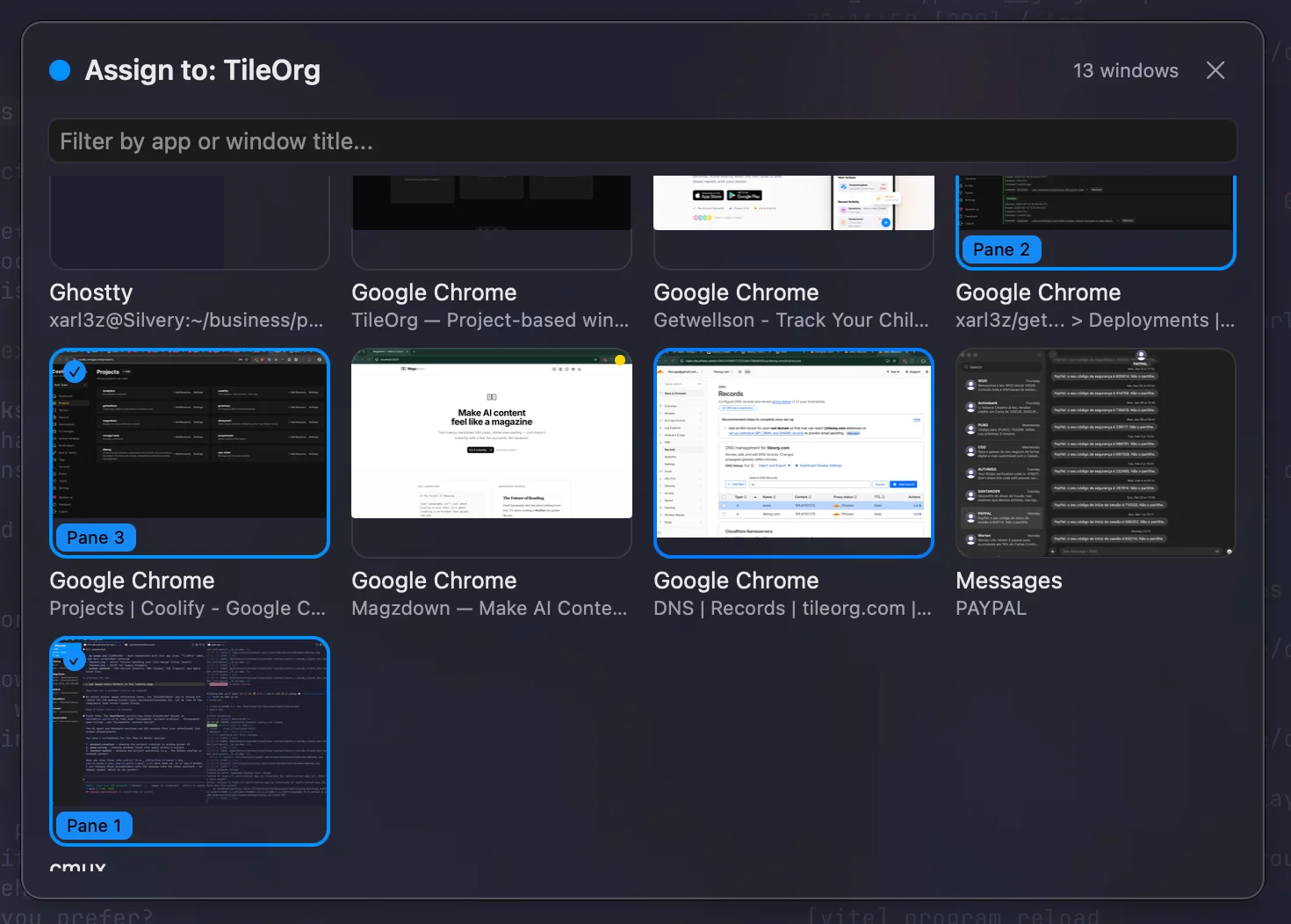
Create Projects
Group related windows into named projects. Use the hotkey picker to assign any window — your browser, terminal, IDE, and docs, organized by what you're working on.
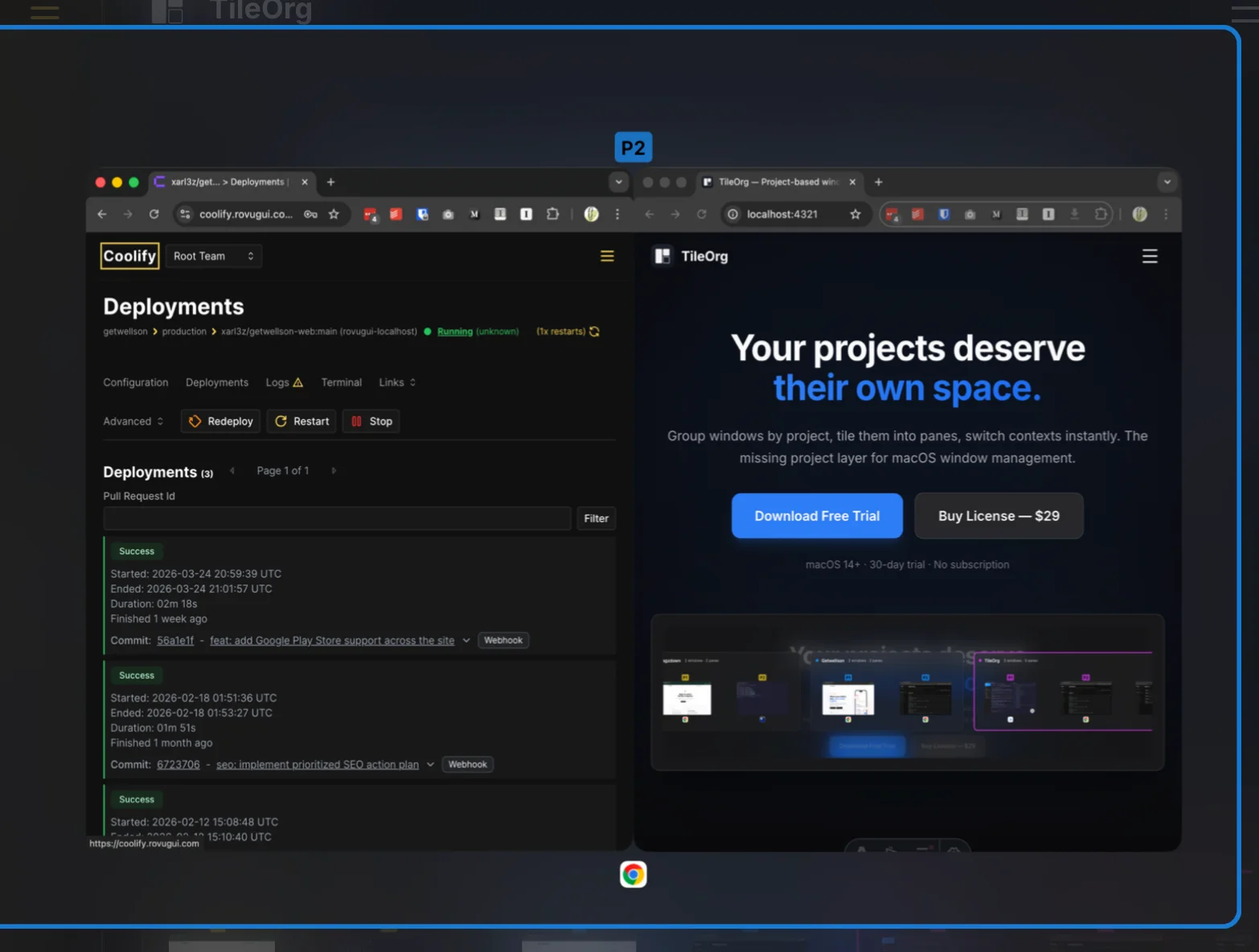
Tile into Panes
Organize each project's windows into panes with flexible layouts — single, horizontal split, vertical split, or grid. Each adapts to your workflow.
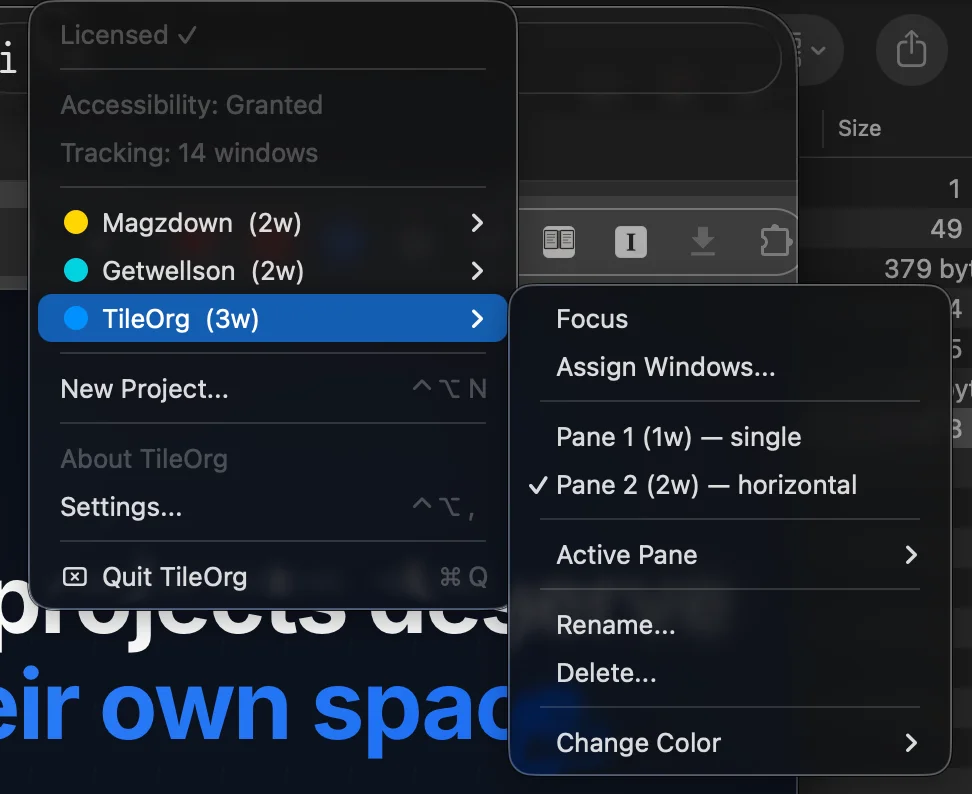
Switch Instantly
Jump between projects with ⌃⌥1-9. Switch panes with ⌃⇧1-6. Under one second, every time. Your flow state stays intact.
Everything else, built in
The agent features sit on a window manager built around your projects: named groups, tiled panes, session restore, multi-monitor. Native Swift, no Electron.
Project-Based Grouping
Create named projects and assign any window. Your browser, terminal, IDE, and docs — organized by what you're working on, not scattered across your desktop.
Flexible Tiling Layouts
Single, horizontal split, vertical split, or grid. Each pane adapts to your workflow, not the other way around. Up to 4 windows per pane.
Session Persistence
Quit TileOrg, reboot your Mac, come back. Your projects, layouts, and window assignments survive it all — apps reopen and windows restore automatically.
Command Center
A bird's-eye view of every project with live window thumbnails, metadata, and quick actions. Your personal mission control for multitasking.
Non-Destructive
Switching projects never hides, moves, or resizes windows from other projects. TileOrg adds a layer — it doesn't fight your existing workflow.
Multi-Monitor
Span projects across multiple displays. Each monitor gets its own pane assignments, with graceful handling of display connect and disconnect.
Keyboard-driven. Millisecond fast.
Every action is a keystroke away. No mouse needed, no menus to navigate. Just instant results.
Every shortcut is customizable. Make TileOrg yours.
Pay once. Own it forever.
One price. All features. No subscription, no recurring fees — ever.
One-time purchase
- All features included
- 3 devices per license
- Free updates for life
- AI Agent Oversight
- Session persistence & restore
- macOS 14+ (Sonoma and later)
Try free for 30 days — every feature, no credit card, no account. Buy only if you love it.
Questions? Answers.
Why isn't TileOrg on the Mac App Store?
TileOrg needs Accessibility API access to manage windows from other apps. This is incompatible with the Mac App Store's sandbox requirements. The app is signed with an Apple Developer ID and notarized by Apple, so you get the same security guarantees as App Store apps.
Is TileOrg safe? What permissions does it need?
TileOrg is signed with an Apple Developer ID and notarized by Apple. It requires Accessibility permission for window management (essential for the app to function). Screen Recording permission is optional — it enables live window thumbnails in Command Center but everything else works without it.
macOS says “unidentified developer” — is something wrong?
No, and your install is safe. macOS shows this prompt for any app installed outside the App Store. TileOrg is signed with an Apple Developer ID and notarized by Apple. On first launch, right-click the app and choose Open — or go to System Settings → Privacy & Security and click “Open Anyway.” You only do this once. Installing via Homebrew skips the prompt entirely.
How does the free trial work?
Download TileOrg and use every feature for 30 days — no limitations, no credit card, no account creation. When the trial ends, purchase a license to keep using it. All your projects and settings are preserved.
Can I use my license on multiple Macs?
Yes. Each license covers up to 3 devices. You can deactivate a device from within TileOrg's preferences to free up an activation slot if you switch machines.
What happens after I buy?
You receive a license key instantly. Enter it in TileOrg's preferences to activate. Updates are delivered automatically via the built-in updater — no manual downloads needed.
Does TileOrg replace other window managers?
No. TileOrg adds a project layer on top of macOS. It works alongside Spaces, Mission Control, Stage Manager, and other window management tools — it complements them rather than replacing them.
Which AI agents does TileOrg detect?
Claude Code, Codex, Gemini CLI, aider and opencode. TileOrg scans the process tree under each terminal window every few seconds and infers status (working, waiting, idle, errored, done) from the window title and CPU activity. For Claude Code it can also install hooks that report status directly.
Does TileOrg work with Codex, Gemini CLI, aider, opencode?
Yes. All five are detected the same way, by process name, so it does not matter which terminal you run them in as long as it is on the supported list (Terminal, iTerm2, Ghostty, kitty, Warp, cmux, VS Code, Cursor). The hooks integration that reports permission prompts directly is Claude Code only for now; the other agents rely on title and CPU signals, which catch the common cases but can lag by a few seconds.
Does TileOrg send any data anywhere?
No telemetry. Two network calls exist: license activation talks to our server with your key and a machine identifier, and the app checks tileorg.com for updates via Sparkle, which sends the app version and macOS version, nothing else. Window titles, agent output and project names never leave your Mac.
What about performance?
TileOrg is a native Swift/AppKit application — not Electron, not a web wrapper. Context switches complete in under 100ms. Memory usage is minimal. It runs as a lightweight menu bar app that stays out of your way.
Ready to organize your chaos?
Stop juggling windows. Start managing projects.